Free Textures for Unity
Building environments, props, or terrain in Unity starts with good textures. Texturize lets you generate seamless, tileable textures directly in your browser and download them as PNG files ready to drop into any Unity project. Every texture tiles perfectly because our procedural algorithms guarantee seamless edges — no visible seams when you set the wrap mode to Repeat.
The generated textures work as Albedo (Base Color) maps in both URP and HDRP materials. Pair them with a normal map created using our Normal Map Generator to add surface detail without extra geometry. You can download textures at 1024px, 2048px, or 4096px — all standard power-of-two sizes that Unity handles efficiently with mipmapping and GPU texture compression.
All textures are generated procedurally and released under our royalty-free license, so you can use them in commercial games, prototypes, game jams, and personal projects without attribution or licensing fees.
Recommended Generators for Unity
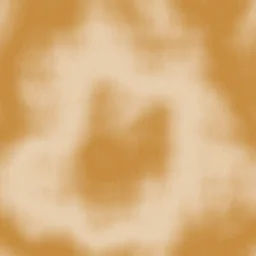
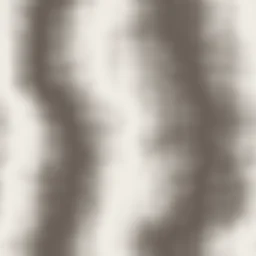
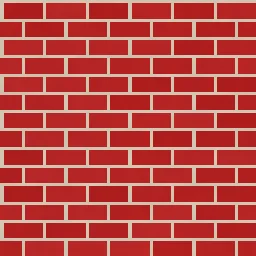
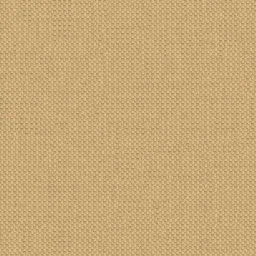
These generators produce textures commonly used in game environments — walls, floors, terrain, and material surfaces.

How to Use Textures in Unity
Generate and download your texture
Pick a generator, adjust the controls until you like the result, then download as PNG. Choose 2048px for a good balance between quality and file size.
Import the PNG into Unity
Drag the PNG file into your Unity project’s Assets folder (or a Textures subfolder). Unity will automatically create a Texture2D asset.
Create a Material
Right-click in the Project panel and choose Create > Material. Select Lit (URP) or HDRP/Lit depending on your render pipeline.
Assign the texture to Albedo / Base Map
In the Material Inspector, drag your texture into the Base Map (or Albedo) slot. This sets the diffuse color of the surface.
Set wrap mode to Repeat
Select the texture asset and in the Import Settings, confirm Wrap Mode is set to Repeat. This ensures the texture tiles seamlessly across surfaces.
Adjust tiling in the Material
Under Tiling in the Material Inspector, set X and Y values to control how many times the texture repeats. Start with 2x2 and adjust to match your surface scale.
Add depth with Normal Maps
After generating your texture, run it through our Normal Map Generator to create a matching normal map. In Unity, assign it to the Normal Map slot in your material and set the Texture Type to Normal Map in the import settings. This adds realistic surface bumps and lighting response without increasing polygon count.
Open Normal Map GeneratorUseful Tools for Unity Developers
Frequently Asked Questions
What texture sizes work best for Unity?
Unity works best with power-of-two texture sizes: 1024x1024, 2048x2048, or 4096x4096 pixels. These sizes enable efficient GPU compression and mipmapping. For mobile games, 1024px is usually sufficient. For desktop and console games, 2048px offers a good balance. Use 4096px only for hero assets or close-up surfaces. All Texturize downloads are available in these three sizes.
How do I make textures tile seamlessly in Unity?
Every texture generated by Texturize is already seamless — the edges match perfectly on all sides. In Unity, select the texture asset, set the Wrap Mode to Repeat in the Import Settings, then adjust the Tiling values in your Material to control how many times the pattern repeats across the surface.
Can I use these textures commercially in my Unity game?
Yes. All textures generated on Texturize are released under our royalty-free license. You can use them in commercial games, prototypes, asset packs (when combined with other original work), and any other Unity project without attribution or recurring fees.
How do I create a complete PBR material for Unity?
Start by generating a diffuse texture using any of our generators. Then run it through the Normal Map Generator to create a normal map. In Unity, create a Lit material (URP) or HDRP/Lit material, assign the texture to the Base Map slot and the normal map to the Normal Map slot. Adjust Smoothness and Metallic sliders to match the surface type you are simulating.
Ready to create textures for your Unity project?
Choose from 50 procedural generators and download seamless textures in seconds.