Water Generator
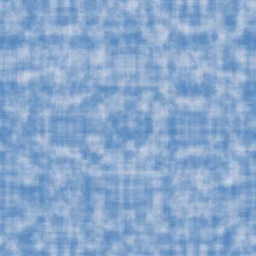
Create caustic light patterns and underwater textures with wave interference.
Share this exact texture with anyone
How to Use Your Water Generator Texture
CSS Background
Apply as a CSS background with animation using @keyframes to slowly translate background-position for a gentle flowing water effect. Use background-size: 200% for a smooth looping pan.
background: url('texturize_water.png') repeat;
background-size: 256px 256px;
Blender
Use as a Normal map source by converting to greyscale and connecting through a Bump node at 0.05-0.15 strength. Layer with a procedural Wave Texture for animated caustic light patterns on underwater surfaces.
Unity & Unreal Engine
In Unity, use with the Water System shader and apply UV panning at 0.02-0.05 speed for surface motion. In Unreal, create a Material with two texture samples panning in different directions and blend with Fresnel for depth.
Photoshop & Figma
Apply the Ripple or Ocean Ripple distortion filter in Photoshop over underlying layers for a submerged text effect. In Figma, use as an image fill with reduced opacity for aquatic-themed UI backgrounds.
Game Development
Essential for ocean surfaces, rivers, pools, and rain puddles in any genre. Use two overlapping UV-scrolling layers at different speeds and directions for convincing water surface movement.
Architectural Visualization
Perfect for pool and spa renders, waterfront property visualizations, and fountain design presentations. Combine with caustic light projections on nearby surfaces for added realism.
Print & Packaging
Use as a background for beverage packaging, spa and wellness branding, and aquatic recreation promotional materials. The fluid patterns evoke freshness and purity on printed surfaces.
Social Media & Video
Creates a calming, refreshing backdrop for wellness brand content, beverage product launches, and summer seasonal campaigns. The fluid patterns add serene movement to social layouts.
Water Generator Preset Gallery
Click any preset in the generator above to apply it instantly. Each variation is seamless and ready for download in 1024, 2048, or 4096 resolution.

Shallow Pool
Bright, clear water with vivid caustic patterns dancing across a sunlit pool floor. Ideal for swimming pool textures and shallow water surfaces.

Deep Ocean
Cool blue-green plasma with deep underwater tones. Bioluminescent ocean effect for aquatic and sci-fi themes.

Tropical Lagoon
Warm turquoise water with bright caustics and gentle organic distortion. Perfect for tropical beach scenes and resort pool renders.

River Current
Flowing green-tinted water with strong directional waves and natural turbulence. Great for river beds, stream textures, and flowing water effects.

Underwater Light
Dreamy deep-blue water with complex overlapping caustic rays filtering through the surface. Ideal for underwater scenes and aquatic game environments.

Crystal Clear
Pristine, almost transparent water with sharp, brilliant caustic patterns and minimal distortion. Perfect for crystal-clear springs and pure water effects.

Murky Swamp
Dark green murky water with heavy distortion and deep, opaque tones. Ideal for swamp environments, horror game scenes, and eerie wetland textures.

Ice Melt
Pale blue glacial meltwater with bright, crisp caustics and gentle waves. Perfect for arctic water surfaces, glacier lake renders, and frozen spring themes.

Sunset Reflection
Warm-tinted water reflecting golden sunset hues with gentle wave motion. Suited for evening lake scenes, romantic seascape renders, and warm coastal textures.

Koi Pond
Calm medium-green pond water with gentle caustics and serene flow. Great for Japanese garden scenes, zen pond textures, and tranquil water backgrounds.
Water Generator FAQ
Textures Made With This Generator
View all 10 textures →


Process Your Water Generator Texture
Use our free browser-based tools to enhance, mix, and analyze your textures.
Texture Mixer
Blend this texture with another for unique combinations.
Make Seamless
Ensure perfect seamless tiling for any image.
Normal Map Generator
Generate normal maps from your texture for 3D and PBR workflows.
Color Palette Extractor
Extract the dominant colors from your texture.
All tools run in your browser — no uploads, no servers.
How the water generator works
The algorithm
The water generator animates two FBM layers at different speeds and slightly different scales to simulate the interference pattern of rippling water. Even in a still image, the offset between the two layers produces the crossing-wave interference that gives water its characteristic dappling. A specular highlight layer picks out the lightest ridge lines in the noise field and brightens them, simulating sunlight refracting off wave crests. The colour ramp transitions from deep teal at the darkest values to almost-white at the brightest, producing the tropical-water look at default settings.
What the parameters do
waveScale sets the dominant wave size. choppiness controls how pronounced the highlights are — calm water has subtle gradient highlights, rough water has sharp specular spikes. depth biases the base colour darker or lighter, shifting between shallow pool and deep ocean looks. clarity controls how much of the deep colour bleeds through the ripples.
What it's good for
Architectural visualisation of pool and pond renders, game environment water surfaces, nature-scene compositing, summer-themed web backgrounds, and abstract art that leverages organic flowing patterns. Often used as a normal-map input for real-time water surface shaders.
Practical tips
For convincing swimming pool water, set depth high and choppiness low — pool water reads as calm and clear. For open ocean, raise choppiness above 0.6 and add slightly more saturation to the base teal. Muddy ponds need lower clarity and a brown-shifted tint. The default preset targets Caribbean tropical water.
Related Generators
Explore more free seamless texture generators with full customization and instant PNG download.