Lava Generator
Create flowing magma textures with cooling crust, glowing fissures, and heat distortion effects.
Share this exact texture with anyone
How to Use Your Lava Generator Texture
CSS Background
Apply as a CSS background with a black background-color fallback. Use @keyframes to slowly animate background-position for a flowing lava effect, and add filter: contrast(1.3) to intensify the glow.
background: url('texturize_lava.png') repeat;
background-size: 256px 256px;
Blender
Use as an Emission input on a Principled BSDF with Emission Strength at 5-20 for bright glow. Mix with a dark rough Diffuse using a Noise Texture mask for the transition between cooled crust and molten rock.
Unity & Unreal Engine
In Unity, use as an Emission map with HDR values at 3-10x intensity for real-time bloom. In Unreal, create a panning UV Material with two lava layers moving at different speeds for convincing flow animation.
Photoshop & Figma
Use with Color Dodge blending mode in Photoshop over dark backgrounds for an intense glowing magma effect. Apply Liquify filter to warp the texture for custom flow patterns and eruption compositions.
Game Development
Essential for volcanic environments, fire hazard zones, and hellscape levels in action and adventure games. Use a vertex color gradient to blend between cooled black crust and hot orange-red flowing lava.
Architectural Visualization
Use as a dramatic accent material for conceptual fire feature installations, volcanic landscape models, and themed entertainment venue designs. The emissive glow adds dynamic lighting to dark scenes.
Print & Packaging
Use as a background for hot sauce labels, energy drink packaging, and extreme sports event posters. The intense orange-red glow conveys heat, power, and intensity on printed surfaces.
Social Media & Video
Creates an intense, eye-catching backdrop for gaming content, album cover reveals, and energy drink brand promotions. The fiery glow demands attention in social media feeds.
Lava Generator Preset Gallery
Click any preset in the generator above to apply it instantly. Each variation is seamless and ready for download in 1024, 2048, or 4096 resolution.
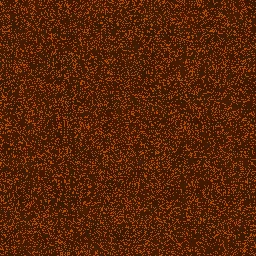
Active Volcano
Bright flowing magma with minimal crust and high glow. Intense volcanic surface for dramatic fire-themed textures.

Cooling Basalt
Mostly cooled lava surface with dark basalt crust and glowing crack lines. Ideal for volcanic rock and terrain textures.

Ember Glow
Warm embers with deep red tones and subtle flow. Perfect for fireplace, furnace, and smoldering coal effects.

Magma River
Flowing channels of bright magma with high turbulence. Creates river-like lava flow patterns for game environments.

Obsidian Crust
Nearly fully cooled volcanic glass surface with rare glowing fissures. Dark, glassy texture for obsidian and cooled lava fields.

Blue Flame
Intense blue-white hot plasma with minimal crust and maximum glow. Perfect for sci-fi energy textures, plasma effects, and otherworldly fire surfaces.

Hellfire
Intense red inferno with extreme turbulence and barely any cooled surface. Ideal for demonic fire effects, hell-themed game environments, and intense flame textures.

Smoldering Ash
Mostly cooled surface with dying embers glowing faintly through thick ash. Suited for post-fire scenes, burned terrain textures, and smoldering campfire effects.

Solar Flare
Bright yellow-white solar plasma with extreme turbulence and almost no crust. Great for sun surface textures, stellar explosion effects, and cosmic energy backgrounds.

Dragon Breath
Magical green fire with moderate crust and ethereal glow. Perfect for fantasy dragon breath effects, enchanted flame textures, and magical energy surfaces.
Lava Generator FAQ
Textures Made With This Generator
View all 10 textures →


Process Your Lava Generator Texture
Use our free browser-based tools to enhance, mix, and analyze your textures.
Texture Mixer
Blend this texture with another for unique combinations.
Make Seamless
Ensure perfect seamless tiling for any image.
Normal Map Generator
Generate normal maps from your texture for 3D and PBR workflows.
Color Palette Extractor
Extract the dominant colors from your texture.
All tools run in your browser — no uploads, no servers.
How the lava generator works
The algorithm
The lava generator combines thermal gradients with FBM to simulate cooling molten rock. A high-contrast base layer defines where the hottest bright-orange material sits. A secondary warmer-red layer surrounds it. Cooler crust regions appear at the periphery, transitioning to dark basalt. The glow effect is produced by sampling neighbouring pixels and biasing each pixel's emission toward the brightest nearby hot spot — this is a small convolution kernel that simulates how thermal radiation bleeds visually into surrounding dark rock.
What the parameters do
temperature shifts the colour ramp between red-hot (cooler magma) and white-hot (extreme temperatures). flowScale controls the FBM frequency that defines flow patterns — tight for viscous, wide for molten and fluid. crustCoverage controls how much of the surface has cooled into dark basalt versus exposed molten lava. glow controls the emission bleed radius.
What it's good for
Volcanic game environments, sci-fi backdrops for alien worlds, fantasy art for fire-themed material, motion graphics for action sequences, and stylised heat-map visualisations.
Practical tips
For convincing thermal emission, the hottest regions must be significantly brighter than standard diffuse colours — push the peak emission toward near-white rather than stopping at orange. Real lava also shows strong flow banding: keep flowScale high enough that you see visible current lines but not so high that the surface looks granular.
Related Generators
Explore more free seamless texture generators with full customization and instant PNG download.