Free Textures for Substance Painter
Substance 3D Painter is the industry standard for 3D texturing, and custom texture resources can significantly speed up your workflow. Texturize lets you generate seamless, tileable textures in your browser that work as fill layers, stencil sources, and custom resource inputs in Substance Painter. Every texture tiles perfectly thanks to our procedural generation algorithms.
Import generated textures as custom resources and use them as base materials in fill layers, or load them as stencils for projection painting. Combine them with our Normal Map Generator to create matching height and normal data, or use the Texture Mixer to blend multiple textures before importing. Download at 1024px, 2048px, or 4096px to match your project’s texture set resolution.
All textures are procedurally generated and released under our royalty-free license, so you can use them in commercial projects, client work, and production pipelines without attribution or licensing fees.
Recommended Generators for Substance Painter
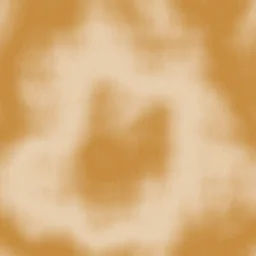
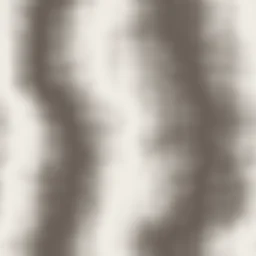
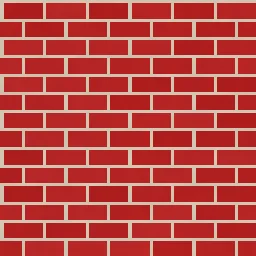
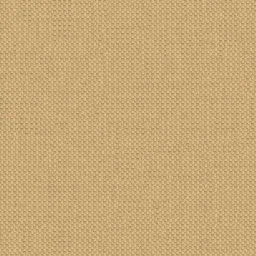
These generators produce base textures ideal for fill layers, material layering, and stencil-based painting in Substance Painter.


How to Use Textures in Substance Painter
Generate and download your texture
Pick a generator that matches the surface you need. Adjust the controls, then download as PNG. Choose 2048px or 4096px to match your Substance Painter texture set resolution.
Import as a custom resource
In Substance Painter, go to File > Import Resources. Select your PNG and choose the appropriate usage (Texture, Environment, etc.) and set the shelf destination to your current project or session.
Use as a fill layer
Add a Fill Layer to your layer stack. In the Properties panel, click the Base Color slot and select your imported texture from the shelf. The texture will tile across the UV space of your mesh.
Apply with a stencil for projection painting
Load the texture as a stencil via the Stencil panel. Position and scale the stencil on your model, then paint through it using a standard brush to project the texture pattern onto specific areas.
Blend with masks and generators
Add a black mask to your fill layer and use Substance generators like Dirt or Curvature to reveal the texture selectively. This creates natural wear, edge detail, and material variation.
Export the texture set
When finished, use File > Export Textures. Select an export preset that matches your target engine (UE5, Unity, Blender, etc.) to output all channels including the textures you imported.
Create matching Normal Maps
After generating your base color texture, run it through our Normal Map Generator to create a matching normal map. Import both into Substance Painter and assign the normal map to the Normal channel in your fill layer. This adds surface relief that interacts with Substance Painter’s viewport lighting and exports correctly to any target engine.
Open Normal Map GeneratorUseful Tools for Substance Painter Artists
Texture Mixer
Blend two textures with blend modes like Multiply, Screen, Overlay, and more. Adjust opacity and download the result.
Make Seamless
Convert any image into a seamlessly tileable texture. Adjust blend width and preview the 3×3 tiled result.
Normal Map Generator
Generate normal maps from any texture for 3D rendering, game assets, and PBR workflows. Adjust strength and download as PNG.
Frequently Asked Questions
What import format does Substance Painter accept?
Substance Painter accepts PNG, JPG, TGA, BMP, and PSD files as custom resources. The PNG files downloaded from Texturize import directly without conversion. For best results, use the same resolution as your texture set (typically 2048px or 4096px).
Can I use textures as stencils in Substance Painter?
Yes. Import the texture as a resource, then load it in the Stencil panel. You can position, rotate, and scale the stencil on your model viewport, then paint through it with any brush. This is especially useful for applying patterns like brick, tile, or geometric textures to specific areas of a mesh.
Can I use these textures commercially?
Yes. All textures generated on Texturize are released under our royalty-free license. You can use them in commercial projects, client work, production pipelines, and any Substance Painter workflow without attribution or recurring fees.
Can I combine Texturize textures with Substance materials?
Absolutely. Texturize textures work great as additional layers on top of Substance materials. Use them in fill layers with masks to add color variation, surface detail, or weathering effects. Stack them with Substance’s built-in generators and smart materials for complex, realistic results.
Start creating textures for Substance Painter
50 generators, seamless output, and instant PNG downloads — all free and browser-based.