Glitch Generator
Create digital corruption textures with scan lines, channel shift, and block displacement.
Share this exact texture with anyone
How to Use Your Glitch Generator Texture
CSS Background
Apply as a CSS background for cyberpunk and vaporwave-themed sites. Use CSS clip-path with polygon values on overlaid divs to enhance the digital distortion effect with shifting content blocks.
background: url('texturize_glitch.png') repeat;
background-size: 256px 256px;
Blender
Use as a Base Color on flat planes for broken TV screens, corrupted hologram displays, and VHS-style video effects. Mix with an Emission shader to create glowing scan lines and RGB shift artifacts.
Unity & Unreal Engine
In Unity, use in a post-processing stack as a screen overlay with animated UV offset for real-time glitch effects. In Unreal, create a Post Process Material that blends the glitch texture based on a time-driven noise threshold.
Photoshop & Figma
Overlay on photos with Screen or Difference blending mode in Photoshop for instant digital corruption effects. In Figma, layer at low opacity over UI mockups for cyberpunk and brutalist web design presentations.
Game Development
Use for corrupted simulation environments, hacking minigame visuals, and damage screen effects in cyberpunk and horror games. Trigger as a screen-space overlay during gameplay events for dramatic impact.
Architectural Visualization
Use for LED media wall mockups, digital art displays, and immersive installation renders in gallery and entertainment venue visualizations. The distorted pattern adds a digital art aesthetic to interior spaces.
Print & Packaging
Use for tech zine covers, electronic music merchandise, and cyberpunk-themed packaging. The digital distortion aesthetic resonates strongly with contemporary design trends in print.
Social Media & Video
Creates an edgy, attention-grabbing backdrop for tech announcements, music drops, and error-themed meme content. The glitch aesthetic is highly shareable and performs well on Twitter/X and TikTok.
Glitch Generator Preset Gallery
Click any preset in the generator above to apply it instantly. Each variation is seamless and ready for download in 1024, 2048, or 4096 resolution.
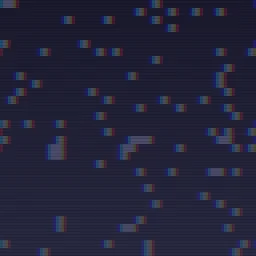
Light Static
Subtle digital static with minor block displacement and scan lines. Clean glitch aesthetic for modern web backgrounds.

VHS Tracking
Classic VHS tape tracking error with wavy scan lines and color bleeding. Retro 80s video distortion for nostalgic designs.

Data Corruption
Heavy block-shift data corruption with smeared pixel regions. Databending effect for experimental digital art.

Cyberpunk
Neon-accented digital glitch with strong channel shift and high contrast. Futuristic cyberpunk UI error for tech-themed designs.

Broken Signal
Severely disrupted signal with large corrupted blocks and heavy noise. Complete signal failure for dramatic error screen effects.

Matrix Rain
Green digital rain on black with subtle scan lines and minimal noise. Iconic hacker aesthetic for cybersecurity themes and sci-fi terminal displays.

Analog TV
Warm analog television static with large blocks and heavy scan lines. Retro broadcast interference for vintage TV and lo-fi video aesthetics.

Pixel Sort
Fine-grained pixel sorting glitch with strong channel shift and pink accents. Trendy glitch art effect for creative photography and music album covers.

Blue Screen
Classic blue screen of death with white text-like accents and subtle corruption. Iconic computer error aesthetic for tech humor and digital art projects.

Corrupted Photo
Heavy data-moshing glitch with teal accents and strong channel displacement. Dramatic image corruption for experimental digital art and music visuals.
Glitch Generator FAQ
Textures Made With This Generator
View all 10 textures →


Process Your Glitch Generator Texture
Use our free browser-based tools to enhance, mix, and analyze your textures.
Texture Mixer
Blend this texture with another for unique combinations.
Make Seamless
Ensure perfect seamless tiling for any image.
Normal Map Generator
Generate normal maps from your texture for 3D and PBR workflows.
Color Palette Extractor
Extract the dominant colors from your texture.
All tools run in your browser — no uploads, no servers.
How the glitch generator works
The algorithm
The glitch generator simulates digital corruption by applying channel-offset distortions to a base pattern. Horizontal slices are randomly shifted left or right by varying amounts, mimicking VHS tracking errors or JPEG decode failures. RGB channels are individually offset by a few pixels to produce the characteristic chromatic aberration of damaged media. Additional noise bands are inserted at random vertical positions to mimic scan-line corruption. The base layer can be a solid colour, a gradient, or any other noise texture.
What the parameters do
sliceHeight controls the thickness of the horizontal shifted bands. channelOffset adjusts how far apart the RGB channels are pulled. noiseIntensity adds scan-line corruption. corruptionRate controls the density of glitched slices — low values are subtle, high values are completely destroyed signal.
What it's good for
Music album artwork, cyberpunk and vaporwave aesthetics, error-screen UI mockups, distressed design trends, glitch-art overlays, and web hero backgrounds for experimental or digital-native brands.
Practical tips
Less is usually more with glitch — heavy corruption reads as noise, but subtle glitching applied to a photograph or gradient reads as intentional artistic choice. Keep channelOffset below 0.1 for subtle, above 0.3 for heavy. Pair with a scanline overlay for full CRT-monitor feel.
Related Generators
Explore more free seamless texture generators with full customization and instant PNG download.